![Kairos H 192.png]](https://kb.meetkairos.com/hs-fs/hubfs/Kairos%20H%20192.png?height=50&name=Kairos%20H%20192.png)
1. Personalize Your Kairos (New!)
Set your priorities in Settings. Kairos will tailor every response.
Try this:
- Go to Settings → Add your priorities and meeting rules → Hit "Save Settings"
- Go to Chat and ask: "What upcoming meetings need my attention? Any conflicts?"
- Watch Kairos flag what matters to you ✨
Example instructions you could add:
-
My priorities for this quarter are to _____. Flagged meetings that give me opportunities or that are about my priorities.
-
My time management philosophy:
-
Always make sure I have one user interview per week. (Either the meeting title says "User interviews," or meetings with X, Y, and Z clients.
-
Always make sure I have prepped for the following meetings: X, Y, and Z.
-
Flag me when my calendar is booked with meetings more than X hours per week.
-
2. Calendar Audit: Now More Accurate
We fixed how Kairos calculates your meeting time vs. focus time.
-
Before: Any blocked time = meeting time
-
Now: Events with no attendees = focus time
Plus, recommendations now look at your next 5 business days. More relevant. More actionable.
3. Kairos Memory is ON 🧠
No more repeat questions. Kairos now remembers what you've shared in previous chats. Your preferences, your context, your answers. It's on by default for everyone.
The more you chat, the smarter Kairos gets.
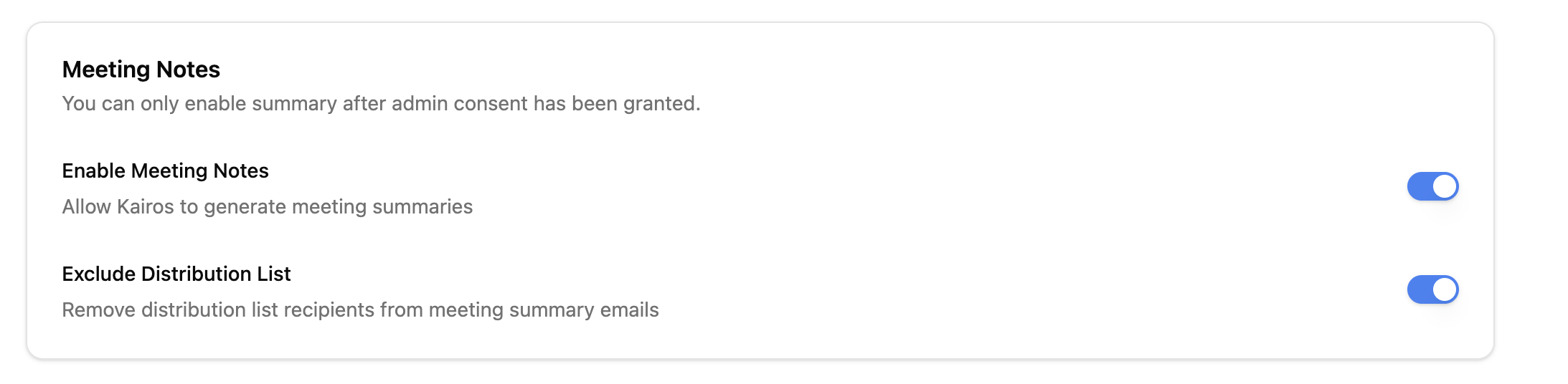
4. Exclude Distribution List (New Setting):
Enable "Exclude Distribution List" in Settings. If enabled, anyone included only via a distribution list (not explicitly invited) will not receive meeting notes.
Product Improvements
- Added date picker to Meeting Notes and Action Items pages
- Info icons added to dashboard widgets for clearer labels
- Next week recommendations now filter by role
Bug Fixes
- Fixed: Meeting notes missed due to calendar event errors
- Fixed: Meeting notes not generating for 2nd session
- Fixed: Error when editing Action Items
- Fixed: Action items tied to no meeting
- Fixed: Outlook Add-in meeting follow-up bugs